










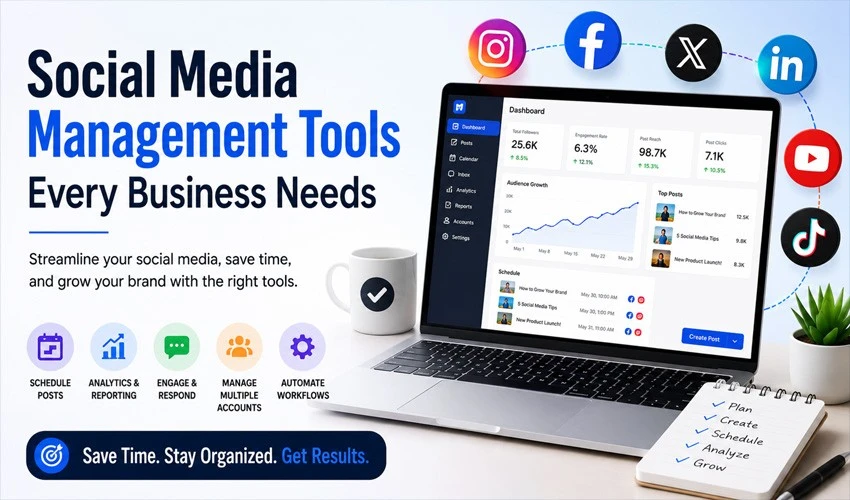
Running a business’s social media presence used to mean logging into five different apps, copy-pasting captions, and hoping you didn’t accidentally post the wrong content on the wrong account. Those days are over. Today’s social media management tools handle scheduling, analytics, engagement, listening, and even content creation — often from a single dashboard.
Whether you’re a solo founder juggling Instagram and LinkedIn or a marketing team managing dozens of client accounts, the right toolkit can save hours every week and turn scattered posting into a real strategy. Here are 20 social media management tools worth putting on your radar in 2026, organized by what they do best.
Scheduling and Publishing Tools
1. Buffer
Buffer remains one of the most user-friendly scheduling tools on the market. It’s built for small businesses and creators who want a clean interface without a steep learning curve, and its free tier is generous enough for solo entrepreneurs just getting started. Buffer has intentionally stayed simple rather than chasing every enterprise feature, which is exactly why many small teams prefer it.
2. Hootsuite
Hootsuite is one of the longest-standing names in the space, and it still holds up as an all-in-one command center. It combines content curation, scheduling, performance measurement, and ad optimization, making it a solid fit for businesses that want one platform to run their entire social operation rather than stitching together several smaller tools.
3. Later
Later built its reputation around visual planning, particularly for Instagram, with a drag-and-drop content calendar that makes it easy to see how a grid or feed will look before anything goes live. It’s a strong pick for brands where visual consistency matters as much as the caption.
4. Sendible
Sendible is popular with agencies managing multiple client accounts because of its white-label reporting and client collaboration features. It supports bulk scheduling, content suggestions, and integrations with tools like Canva and Google Drive, making the day-to-day agency workflow smoother.
5. Agorapulse
Agorapulse blends scheduling with a genuinely strong social inbox, so replies and mentions across platforms land in one place instead of six. Its reporting tools are built with agencies and mid-sized teams in mind, including labeling and CRM-style tagging for contacts.
6. SocialPilot
SocialPilot is known for competitive pricing relative to the number of accounts and users it supports, which makes it appealing for small agencies and growing teams that need to scale without a matching jump in cost. It covers scheduling, analytics, and client management in one plan.
7. Social Champ
Social Champ offers scheduling, a content calendar, and analytics with an emphasis on affordability. It supports recycling evergreen content automatically, which is useful for businesses that don’t have the bandwidth to create fresh posts every single day.
8. Vista Social
Vista Social has carved out a strong reputation as a budget-friendly option that doesn’t feel stripped down. Even its entry-level plan includes unlimited scheduling, a unified social inbox, review management, and reporting across multiple profiles, plus a built-in AI assistant for captions and replies — features that are often locked behind premium tiers elsewhere.
9. Ordinal
Ordinal has emerged as a go-to option for executive and personal-brand social programs, especially on LinkedIn, where individual voices tend to outperform brand pages. It covers scheduling, drafts, content calendars, and multi-account approval workflows across LinkedIn, X, Facebook, TikTok, Instagram, and Threads, with analytics that go deeper than most native dashboards, including lead-tracking on who engages with a leader’s content over time.
Analytics and Reporting Tools
10. Sprout Social
Sprout Social is built for teams that need to prove ROI, not just post consistently. Its reporting goes beyond likes and follower counts to show how social activity connects to broader business goals, and its collaboration tools make it a favorite among mid-size to enterprise marketing departments.
11. Iconosquare
Iconosquare focuses specifically on in-depth analytics for Instagram, Facebook, TikTok, and LinkedIn. It’s a good complementary tool for businesses that already have a scheduler they like but want sharper performance data and competitor benchmarking.
12. Rival IQ
Rival IQ specializes in competitive analytics, letting businesses benchmark their own performance against competitors and industry averages. It’s especially useful during quarterly strategy reviews when you need more than internal numbers to justify a direction change.
Social Listening and Reputation Management
13. Brandwatch
Brandwatch is an enterprise-grade social listening platform that tracks brand mentions, sentiment, and emerging conversations across the web, not just social platforms. It’s suited to larger organizations that need to catch a PR issue before it becomes a crisis.
14. Mention
Mention offers real-time monitoring of brand mentions, competitor activity, and industry keywords. It’s a lighter-weight alternative to enterprise listening suites, making it accessible for small and mid-sized businesses that still want to know what’s being said about them.
15. Meltwater
Meltwater combines media monitoring with social listening, giving PR and communications teams a single view of both earned media coverage and social conversation. Its sentiment analysis and alerting features help teams respond quickly when something starts trending.
Customer Engagement and Messaging Tools
16. Zoho Social
Zoho Social fits neatly into the broader Zoho ecosystem, which makes it a smart choice for businesses already using Zoho CRM. Beyond scheduling, it offers a unified inbox for monitoring comments and messages, plus team collaboration features for approving posts before they go live.
17. ManyChat
ManyChat automates conversations on platforms like Instagram and Messenger, handling everything from FAQ responses to lead capture without a human needing to type every reply. For businesses that get a high volume of DMs, it can meaningfully cut response time.
18. HubSpot Marketing Hub
HubSpot’s social tools are less about scheduling flash and more about connecting social activity directly to your CRM. Every interaction can be tied back to a contact record, which matters for businesses that want to see how social engagement actually converts into leads and sales.
AI-Powered Content Creation Tools
19. Canva
Canva has become the default design tool for businesses without an in-house designer. Its templates, brand kits, and increasingly capable AI features make it possible to produce on-brand graphics, carousels, and short videos quickly, which pairs naturally with any scheduler on this list.
20. Jasper AI
Jasper AI helps generate captions, content calendars, and campaign copy at scale, using brand voice settings to keep output consistent across a team. For businesses posting frequently across multiple platforms, it can significantly cut down the time spent staring at a blank caption box.
How to Choose the Right Mix
No single tool on this list does everything perfectly, and most businesses end up combining two or three: a scheduler for day-to-day publishing, a listening tool to stay ahead of reputation issues, and a design or AI writing tool to keep content fresh. Before committing to a paid plan, consider:
- Team size and approval workflows — agencies and larger teams need collaboration and client-reporting features; solo operators usually don’t.
- Platform priorities — a business living on Instagram has different needs than one focused on LinkedIn thought leadership.
- Budget versus feature depth — free and low-cost tools now cover far more ground than they used to, so it’s worth testing before upgrading.
- Integration with existing systems — if you already run HubSpot or Zoho, a tool built for that ecosystem will save setup time.
The right combination won’t just save time. It turns social media from a daily scramble into a system your business can actually rely on.
This article reflects tools and features available as of 2026. Pricing, plans, and feature sets change frequently, so it’s worth checking each provider’s site for current details before choosing a plan.


